

01 / 03
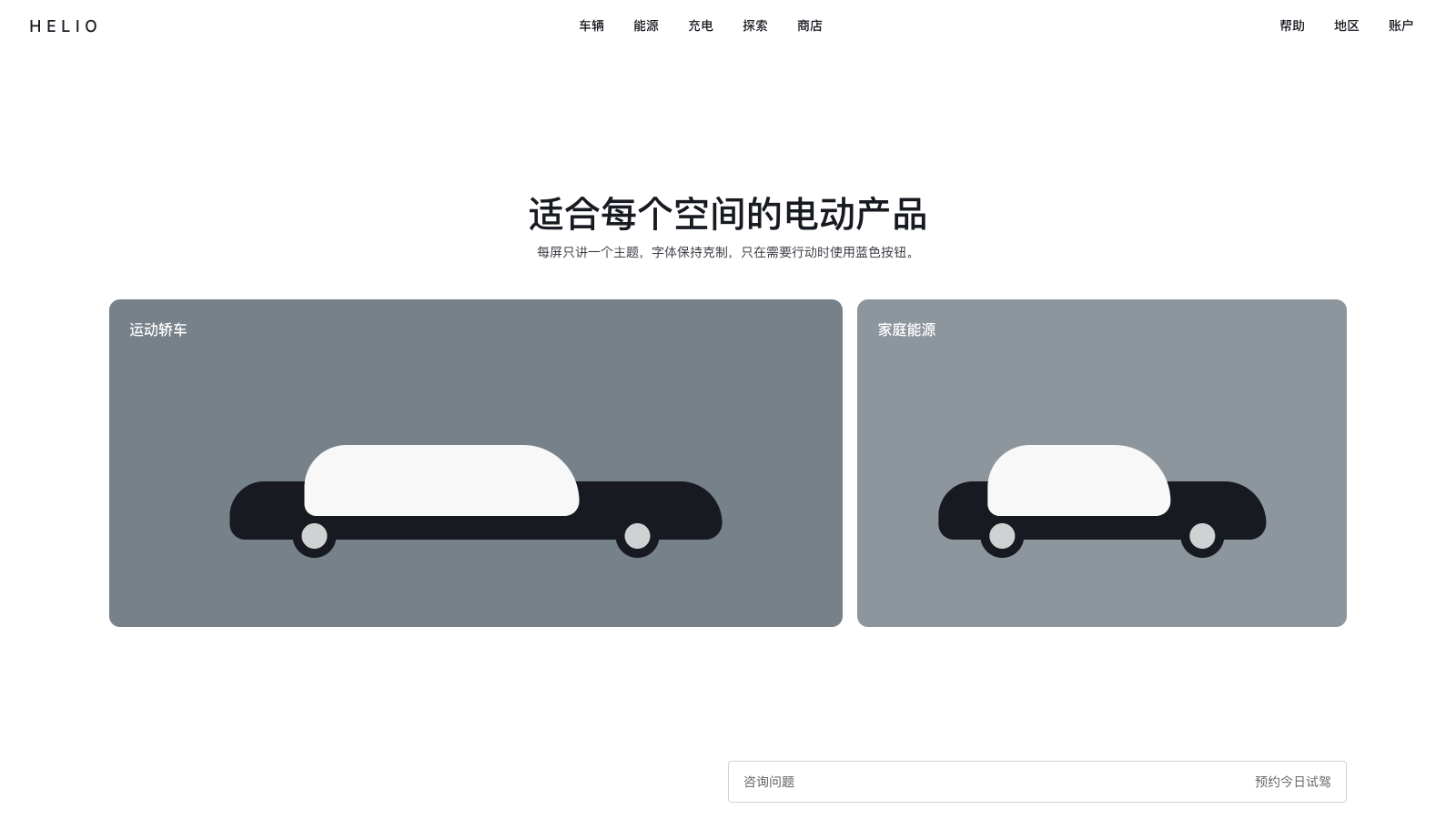
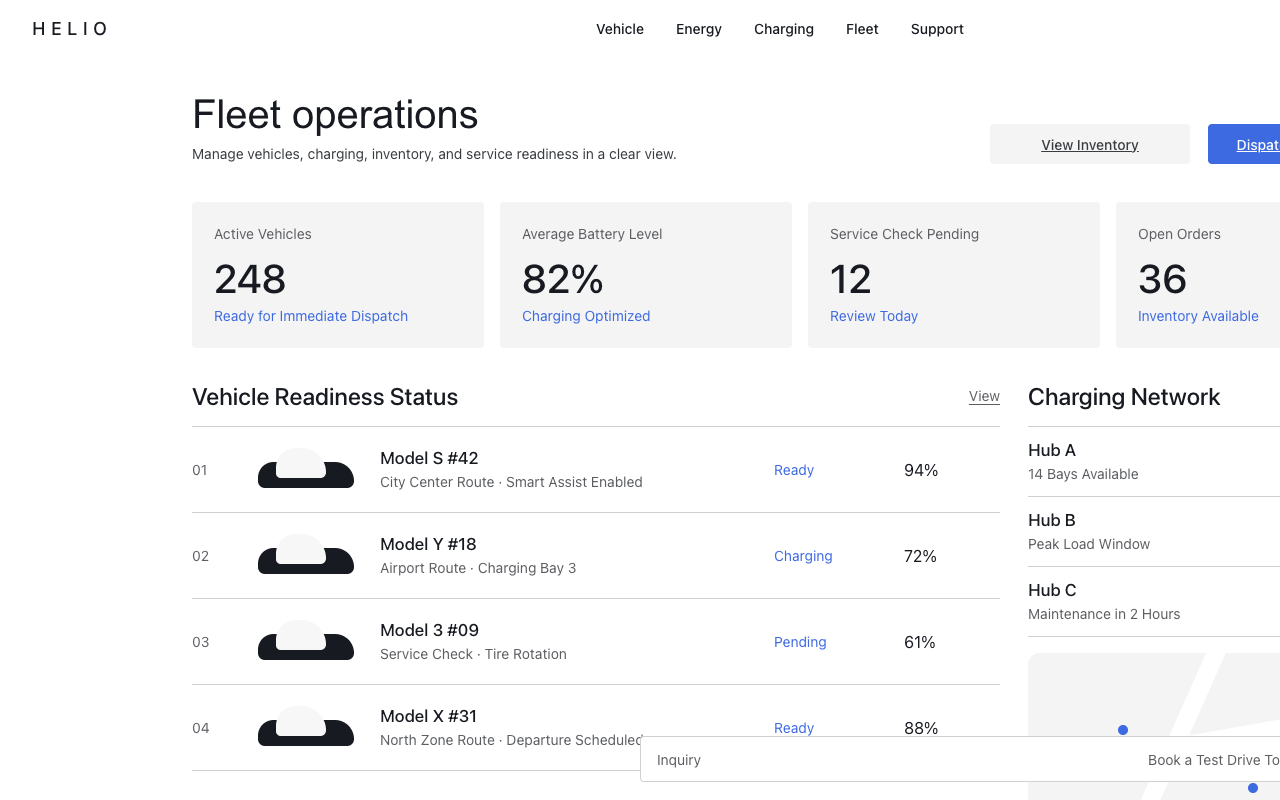

适合汽车、能源和高端硬件发布页,全屏产品场景配极少 UI,只保留蓝色主行动和安静留白。
设计语言样张
产品影像占满首屏,界面只保留标题、短句和两个 4px 行动按钮。
---
version: alpha
name: "Tesla"
description: "Tesla 的 DESIGN.md 中文参考模板,保留原始 design token 与专业术语,覆盖 color system、typography、layout、components、motion 与 interaction states。"
language: zh-CN
sourceLanguage: en
---

# Tesla 风格设计系统

## 1. 视觉主题与氛围

Tesla 的网站是一场 radical subtraction 的练习:一个 digital showroom,产品是一切,界面几乎不存在。页面以 full-viewport hero 开场,用 cinematic car photography 填满整个屏幕:三辆车停在 polished concrete 上,背后是 hazy cityscape sky,上方只有一个以 translucent white type 悬浮的 model name。没有 decorative border、gradient、pattern 或 shadow。UI 只提供刚好足够的导航结构,然后退到一边。凡不是产品影像的像素都是 white space,而这种克制正是设计系统最有力的声明。

Color philosophy 几乎是 ascetic:单一 blue(`#3E6AE1`)用于 primary call to action,三层 dark gray 用于 text hierarchy,其他全部交给 white。全部情绪重量由 photography 承担:sprawling landscape shot、studio-lit vehicle profile,以及横跨每个 viewport-height section 的 atmospheric environmental composition。UI chrome 溶解在影像里。Navigation bar 悬浮在 hero 上方,没有可见 background、border 或 shadow;TESLA wordmark 与五个 navigation label 只是存在于空间中,相信下方内容能提供足够 contrast。

Typography 近期从 Gotham 转向 Universal Sans,这是一套 custom family,分为用于 headline 的 “Display” 与用于 body/UI element 的 “Text”,把 website、mobile app 与 in-car software 统一到同一个 typographic voice。Display variant 以 40px weight 500 渲染 hero title,Text variant 处理从 navigation(14px/500)到 body copy(14px/400)的所有内容。字体带有 geometric precision 与略 humanist 的 terminal,感觉更像 engineered 而不是 designed,正好匹配 Tesla “无需自我宣告的技术” 品牌身份。没有 text shadow、text gradient 或 decorative type treatment。每个 letterform 都只通过 clarity 赢得位置。

**Key Characteristics:**
- Full-viewport hero section(100vh)由 cinematic car photography 主导,overlay UI 极少。
- 近乎零 UI decoration:页面上没有 shadow、gradient、border 或 pattern。
- 单一 accent color:Electric Blue(`#3E6AE1`),只用于 primary CTA button。
- Universal Sans font family(Display + Text)统一 web、app 与 in-car interface。
- Photography-first presentation,product imagery 承担全部 emotional weight。
- Frosted-glass navigation concept:transparent/white nav 悬浮在 hero content 上方。
- 0.33s cubic-bezier transition 作为所有 interactive state change 的统一 timing。
- Carousel-driven hero,使用 dot indicator 与边缘 arrow navigation 展示多辆车。
- “Ask a Question” persistent chatbot bar 锚定在 viewport bottom。

## 2. 色彩与角色

### Primary
- **Electric Blue** (`#3E6AE1`): Primary CTA button background;自信的 mid-saturation blue(rgb 62, 106, 225),是整个 interface 中唯一 chromatic color。只用于 “Order Now” 和其他 primary action button。
- **Pure White** (`#FFFFFF`): 所有 surface、panel、navigation 和 secondary button fill 的 dominant background color;它是让 photography 呼吸的 canvas。

### Secondary & Accent
- **Promo Blue** (`#3E6AE1`): Blue 也用于 hero imagery 上方的 promotional text(“0% APR Available”),与 CTA 同 hue,在 incentive messaging 与 action 之间建立视觉链接。
- 不存在 secondary accent color。Tesla 刻意避免 color variety,以保持极端 visual discipline。

### Surface & Background
- **White Canvas** (`#FFFFFF`): Page background、navigation panel、dropdown menu 与所有 surface container。
- **Light Ash** (`#F4F4F4`): 用于 section differentiation 的 subtle alternate surface;相对 pure white 只有几乎不可感知的偏移(rgb 244, 244, 244)。
- **Carbon Dark** (`#171A20`): Hero text overlay 与潜在 dark-mode context 的 dark surface color(rgb 23, 26, 32),带 blue undertone 的 warm near-black。
- **Frosted Glass** (`rgba(255, 255, 255, 0.75)`): Semi-transparent white,用于 scroll 时 navigation backdrop-filter effect。

### Neutrals & Text
- **Carbon Dark** (`#171A20`): Primary heading 与 navigation text,是最深 text value(rgb 23, 26, 32),用于 light background 上的 model name、nav label 和 hero title。
- **Graphite** (`#393C41`): Body text 与 secondary content(rgb 57, 60, 65),默认 paragraph color,略暖于 pure gray。
- **Pewter** (`#5C5E62`): Tertiary text,用于 sub-link、secondary navigation link,如 “Learn” 与 “Order”(rgb 92, 94, 98)。
- **Silver Fog** (`#8E8E8E`): Input field placeholder text 与 disabled state(rgb 142, 142, 142)。
- **Cloud Gray** (`#EEEEEE`): Light border 与 divider line(rgb 238, 238, 238)。
- **Pale Silver** (`#D0D1D2`): Subtle UI border 与 delineation(rgb 208, 209, 210)。

### Semantic & Accent
- Tesla marketing site 避免 semantic color coding(没有 green/red/yellow status indicator)。Error、success、warning state 在 form context 中遵循 standard browser default。
- Blue CTA(`#3E6AE1`)是唯一 interactive color signal。

### Gradient System
- Interface 中任何位置都不使用 gradient。
- Depth 完全通过 photography、whitespace,以及 full-bleed imagery 与 clean white surface 之间的 binary contrast 实现。
- Navigation 通过 opacity(frosted glass effect)而不是 gradient 或 shadow 实现 layering。

## 3. 字体规则

### Font Family
- **Display**: `Universal Sans Display`, -apple-system, Arial, sans-serif;用于 hero title 与大型 model name。这是一套 geometric sans-serif,比例经过精确工程化,近期取代 Gotham 以统一 Tesla digital ecosystem(website、mobile app、vehicle interface)。
- **Text/UI**: `Universal Sans Text`, -apple-system, Arial, sans-serif;用于 navigation、body copy、button 和所有 UI text。针对小尺寸 legibility 优化,比例比 Display variant 略宽。
- **未检测到 OpenType features**:typography 完全无装饰。
- Marketing site 上 **未观察到 italic variant**。

### Hierarchy

| Role | Size | Weight | Line Height | Letter Spacing | 说明 |
|------|------|--------|-------------|----------------|-------|
| Hero Title | 40px (2.50rem) | 500 | 48px (1.20) | normal | Universal Sans Display,dark hero imagery 上的 white |
| Product Name | 17px (1.06rem) | 500 | 20px (1.18) | normal | Universal Sans Text,nav panel 与 card 中的 model name |
| Nav Item | 14px (0.88rem) | 500 | 16.8px (1.20) | normal | Universal Sans Text,primary navigation label |
| Body Text | 14px (0.88rem) | 400 | 20px (1.43) | normal | Universal Sans Text,paragraph 与 descriptive content |
| Button Label | 14px (0.88rem) | 500 | 16.8px (1.20) | normal | Universal Sans Text,CTA button text |
| Sub-link | 14px (0.88rem) | 400 | 20px (1.43) | normal | Tertiary link(Learn、Order、Experience) |
| Promo Text | 22px (1.38rem) | 400 | 20px (0.91) | normal | Hero 上的 white promotional text(“0% APR Available”) |
| Category Label | 16px (est.) | 500 | — | normal | Category card 上的 white text label(“Sport Sedan”) |

### Principles
- **所有位置使用 “normal” letter-spacing**:不同于多数 modern tech brand 为 headline 使用 negative tracking,Tesla 在每个层级都使用默认 letter-spacing。这体现了字体无需操控就应自己发声的理念。
- **Weight restraint**:只出现两个 weight:500(medium)用于 heading/UI,400(regular)用于 body。没有 bold(700),没有 light(300)。系统避免 typographic drama。
- **Unified font sizing**:多数 UI text 聚集在 14px,只有 hero title(40px)与 promo text(22px)跳出。极端统一带来 engineered consistency。
- **Display vs Text split**:两 variant system(Display 用于 hero,Text 用于 UI)在没有明显 style 差异的情况下形成 subtle optical correction;它们看起来像同一字体的不同尺寸。
- **No text transforms**:Main navigation 或 CTA 中没有 uppercase text;lowercase approach 强化 Tesla 的 understated confidence。

## 4. 组件样式

### Buttons
所有 button 都使用 barely-rounded rectangle(4px border-radius),形成 sharp、technical aesthetic,呼应车辆本身的 precision。

**Primary CTA** — 主操作 button:
- Default: bg `#3E6AE1`(Electric Blue)、text `#FFFFFF`、fontSize 14px、fontWeight 500、padding 4px 并让内部 content 居中、borderRadius 4px、minHeight 40px、width 200px
- Border: 3px solid transparent(为 focus/active border animation 预留空间)
- Box Shadow: `rgba(0,0,0,0) 0px 0px 0px 2px inset`(rest 时不可见,focus 时动画显现)
- Transition: `border-color 0.33s, background-color 0.33s, color 0.33s, box-shadow 0.25s`
- Hover: blue background subtle darkening
- 用于: “Order Now” call to action

**Secondary CTA** — 替代操作 button:
- Default: bg `#FFFFFF`、text `#393C41`(Graphite),dimension 与 border pattern 和 primary 相同
- Transition: timing 与 primary 相同(0.33s)
- 用于: 与 primary CTA 并列的 “View Inventory”

**Nav Button** — Top navigation item:
- Default: bg transparent、text `#171A20`(Carbon Dark)、fontSize 14px、fontWeight 500、borderRadius 4px、padding 4px 16px、minHeight 32px
- Transition: `color 0.33s, background-color 0.33s`
- Active/expanded: subtle background highlight
- 用于: “Vehicles”、“Energy”、“Charging”、“Discover”、“Shop”

**Text Link** — Content 内 action:
- Default: text `#5C5E62`(Pewter)、fontSize 14px、fontWeight 400、无 background、无 border
- Hover: underline decoration,带 box-shadow transition
- Transition: `box-shadow 0.33s cubic-bezier(0.5, 0, 0, 0.75), color 0.33s`
- 用于: dropdown panel 中 “Learn”、“Order”、“Experience”、“New”、“Pre-Owned” link

### Cards & Containers

**Vehicle Card**(Navigation panel):
- Background: transparent(继承 panel white)
- Border: none
- Shadow: none
- Content: vehicle image(transparent PNG)+ 下方居中的 model name + 两个 text link
- Layout: dropdown panel 内的 3-column grid
- Card 本身无 hover animation;interaction 通过下方 text link 完成

**Category Card**(Homepage lower section):
- Background: full-bleed landscape photography
- Border radius: 约 12px(subtly rounded)
- Overflow: hidden(将 image clip 到 rounded corner)
- Text: 左上角 white label(“Sport Sedan”、“Midsize SUV”)
- Size: 大幅格式,约 2:1 aspect ratio
- 无 shadow、无 border、无 overlay gradient;text 依靠 image darkness 提供 contrast

### Inputs & Forms
- Background: transparent
- Text color: `#171A20`(Carbon Dark)
- Placeholder color: `#8E8E8E`(Silver Fog)
- Border: minimal,继承 browser default
- Font: Universal Sans Text, 14px
- “Ask a Question” chatbot input bar 位于 viewport bottom,带 clean white background 与 subtle border

### Navigation
- **Desktop**: Centered horizontal nav,左侧 TESLA wordmark(spaced uppercase letters),中间五个 category button,右侧三个 icon button(help、globe/language、account)
- **Background**: White(通过 class toggle `tds-site-header--white-background`,从 dark hero 上的 transparent 过渡为 scroll 后的 opaque white)
- **Dropdown panel**: Full-width white panel,包含 3-column vehicle grid + 右侧 sidebar text link,无 shadow,无 border;在 nav 下方 seamless 出现
- **Sticky behavior**: `sticky-without-slide` class,固定在顶部,无 slide-in animation
- **Mobile**: Hamburger collapse pattern
- **No visible separator** between nav and content;nav 与 hero 融合

### Image Treatment
- **Hero**: Full-viewport(100vh)section,使用 cinematic photography;edge-to-edge,无 padding,无 margin
- **Vehicle images**: Dropdown panel 内 white background 上的 transparent PNG render,studio-quality 3/4 angle shot
- **Category cards**: Landscape photography,约 2:1 ratio,rounded corner(12px)
- **Carousel**: Auto-advancing,带 dot indicator(3 dots)与边缘 left/right arrow navigation
- **Lazy loading**: Below-fold section 使用 lazy loading,滚动进入视图前渲染为空白 white

### Persistent Chat Bar
- 锚定在 viewport bottom,跨所有 section 可见
- White background,带 subtle border
- 包含:chat icon + “Ask a Question” label + placeholder text(“What's Dog Mode?”)+ send icon + “Schedule a Drive Today” secondary CTA
- Schedule CTA 带 teal/blue icon accent

## 5. 布局原则

### Spacing System
- **Base unit**: 8px
- **Common values**: 8px (0.5rem), 16px (1rem), 21.44px (1.34rem)
- **Button padding**: 4px(minimal outer),通过 flexbox 居中 content;nav item 为 4px 16px
- **Section padding**: Full-viewport section,content 垂直居中
- **Card gap**: Category card 之间约 16px

### Grid & Container
- **Max width**: 约 1383px(多数 content 使用 full viewport width)
- **Hero**: Full-bleed、edge-to-edge、100vh section
- **Navigation panel**: Vehicle card 使用 3-column grid,右侧为 text sidebar(约 70/30 split)
- **Category cards**: 2-up horizontal layout(左侧大 card + 右侧较小 card)

### Whitespace Philosophy
Tesla 将 whitespace 用作 luxury signal。Section 之间慷慨的 vertical spacing(每个 section 都是 full viewport height)意味着你一次只能看到一个 “message”:一辆车、一个 model name、一组 CTA。这创造了 gallery-like browsing experience,每次滚动都是一次 deliberate transition,而不是 continuous feed。White space 并不空;它是把每辆车提升到 art piece 地位的 frame。

### Border Radius Scale
| Value | Context |
|-------|---------|
| 0px | 大多数 element,sharp edge 是默认 |
| 4px | Button(primary、secondary、nav item),几乎不可察觉的 rounding |
| ~12px | Category card,大型 surface 上可见但克制的 rounding |
| 50% | Carousel dot indicator,perfect circle |

## 6. 深度与层级

| Level | Treatment | 用途 |
|-------|-----------|-----|
| Level 0 (Flat) | 无 shadow,无 border | 所有 element 的 default state,包括 card、panel、rest 状态 button |
| Level 1 (Frost) | `rgba(255,255,255,0.75)` backdrop | Scroll 时的 navigation bar,frosted glass transparency |
| Level 2 (Overlay) | `rgba(128,128,128,0.65)` | Modal overlay 与 region/cookie popup |
| Level 3 (Subtle) | `rgba(0,0,0,0.05)` | 少见 hover state 上的 minimal shadow hint |

### Shadow Philosophy
Tesla 对 elevation 的处理基本是 “none”。站点在 primary interface 中完全避免 box-shadow。Depth 通过三种替代策略传达:
1. **Z-index layering**:Sticky navigation 通过 positioning 位于 hero content 上方,而不是 shadow。
2. **Opacity-based transparency**:Frosted glass nav 与 overlay modal 使用 background-color opacity,而不是 shadow,来表示 layering。
3. **Photography-as-depth**:Full-bleed image 通过 perspective、lighting 和 composition 自行创造 visual depth,让 UI shadow 变得多余。

### Decorative Depth
- UI element 上没有 gradient、glow 或 atmospheric effect。
- Hero imagery 自身提供所有 visual richness:sunset sky、car surface reflected light、studio lighting 产生的 ground shadow。
- Carousel arrow button 使用 semi-transparent white background 悬浮在 hero imagery 上方,同时不打断画面。

## 7. Do's and Don'ts

### Do
- 让 photography 主导每个 screen;product 本身就是 design。
- Electric Blue(`#3E6AE1`)只用于 primary CTA,绝不用于装饰。
- Major content block 保持 viewport-height section;每屏只传达一个 message。
- Typography 只保持 weight 400-500;不要 bold、不要 light、不要 extreme。
- 所有 interactive element 使用 4px border-radius;precision 胜过 playfulness。
- 信任 whitespace 作为 luxury signal;不要因为空间为空就填满它。
- 所有 transition 保持 0.33s;motion 一致性与 color 一致性同样重要。
- Product showcase 使用 white background 上的 transparent PNG vehicle imagery。
- CTA 在 model name 下方水平居中;vertical rhythm 是 model → subtitle → buttons。
- 保持 Display/Text font split;Display 只用于 hero-scale text,Text 用于其他所有内容。

### Don't
- 不要给任何 element 添加 shadow;通过 shadow 做 elevation 会违背 flat、gallery aesthetic。
- 不要在 blue CTA 之外使用多个 chromatic color;palette 刻意是 monochrome-plus-one。
- 不要给 surface 应用 gradient、pattern 或 decorative background;white 与 photography 是唯一 background。
- Web 上不要使用大于 40px 的 text;即使 hero scale,typography 也刻意 restrained。
- 不要给 card 或 container 添加 border;separation 通过 spacing 实现,而不是 line。
- 不要使用 uppercase text transform;Tesla 的 confidence 通过 lowercase calm 表达。
- 不要引入 rounded-pill button 或大 border-radii;4px radius 是刻意且精确的。
- 不要用其他 typeface 覆盖 Universal Sans family;cross-platform consistency 是核心 brand value。
- 不要添加 scale/translate transform 的 hover animation;Tesla interaction 只改变 color(background 与 border transition)。
- 不要用多个 CTA 弄乱 viewport;每个 screen 最多两个 action button。

## 8. 响应式行为

### Breakpoints
| Name | Width | 关键变化 |
|------|-------|-------------|
| Mobile | <768px | Single-column layout;hamburger nav 替代 horizontal label;hero text 缩放到约 28px;CTA button 垂直堆叠;category card 变为 full-width |
| Tablet | 768-1024px | 2-column nav panel;hero 保持 full-viewport height;CTA 继续 side-by-side;horizontal padding 减少 |
| Desktop | 1024-1440px | Full horizontal nav;dropdown 中 3-column vehicle grid;hero 为 40px;side-by-side CTA 宽度为 200px/160px |
| Large Desktop | >1440px | Content 保持居中;hero photography 缩放以填满更宽 viewport;nav panel content 使用 max-width container |

### Touch Targets
- Primary CTA button:最小 200px × 40px(明显高于 44×44px WCAG requirement)
- Nav button:最小 height 32px,padding 4px 16px,touch target 足够
- Carousel arrow:viewport edge 上约 44px square white semi-transparent button
- Text link(“Learn”、“Order”):14px text,带足够 line-height spacing 供 touch

### Collapsing Strategy
- **Navigation**: Horizontal category button(Vehicles、Energy、Charging、Discover、Shop)在 mobile 上折叠为 hamburger/drawer menu。
- **Hero CTA pair**: Desktop 上 side-by-side button,mobile 上垂直堆叠。
- **Category cards**: 2-up horizontal layout 在 mobile 上折叠为 single-column full-width。
- **Vehicle grid**: Desktop nav panel 中的 3-column grid 在 tablet 上变为 2-column,在 mobile 上变为 single-column。
- **Spacing**: Section vertical padding 保持 generous(viewport-height section),但 horizontal padding 减少。

### Image Behavior
- Hero image 完全 responsive,在每个 breakpoint 都填满整个 viewport。
- Vehicle carousel image 使用 `object-fit: cover`,在不同宽度下保持 cinematic composition。
- Nav panel 中的 transparent PNG vehicle image 在 grid cell 内按比例缩放。
- Category card image 保持 landscape ratio,并通过带 border-radius 的 `overflow: hidden` clip。

## 9. Agent Prompt Guide

### Quick Color Reference
- Primary CTA: “Electric Blue (#3E6AE1)”
- Background: “Pure White (#FFFFFF)”
- Heading text: “Carbon Dark (#171A20)”
- Body text: “Graphite (#393C41)”
- Tertiary text: “Pewter (#5C5E62)”
- Placeholder: “Silver Fog (#8E8E8E)”
- Alternate surface: “Light Ash (#F4F4F4)”
- Dark surface: “Carbon Dark (#171A20)”

### Example Component Prompts
- “创建一个 hero section,使用 full-viewport background image,居中的 ‘Model Y’ title 使用 Universal Sans Display 40px weight 500 white,下方一行 subtitle,并排两个 button:primary Electric Blue (#3E6AE1) ‘Order Now’ button 和 secondary white ‘View Inventory’ button,两者都为 4px border-radius、40px height”
- “设计一个 navigation bar:左侧 spaced-letter wordmark,中间五个 text button(14px、weight 500、Carbon Dark #171A20),右侧三个 icon button,全部位于 white background 上,无 shadow 或 border”
- “构建 3-column vehicle card grid,每张 card 在 model name(17px、weight 500、Carbon Dark)上方展示 transparent-background car image,并有两个 text link(14px、weight 400、Pewter #5C5E62)标记为 ‘Learn’ 和 ‘Order’,位于 pure white surface 上,无 border 或 shadow”
- “创建 category card,使用 full-bleed landscape photography、12px border-radius、overflow hidden,并在左上角放置 white text label(‘Sport Sedan’),不使用 overlay gradient”
- “设计 persistent bottom bar,包含 chat input(‘Ask a Question’ placeholder)、send icon,以及带 teal icon 的 secondary CTA(‘Schedule a Drive Today’),锚定到 white background 上的 viewport bottom”

### Iteration Guide
Refine 使用此 design system 生成的 existing screen 时:
1. 一次只关注一个 component;Tesla system 极度 minimal,每个 element 都必须 pixel-perfect。
2. 引用本文档中的具体 color name 和 hex code;整个系统只有 6-7 种 color。
3. 使用 natural language description,而不是 CSS value;写 “barely rounded corners”,不要写 “border-radius: 4px”。
4. 在具体 measurement 旁描述期望的 “feel”;“gallery-like silence between sections” 比 “margin-bottom: 100vh” 更能传达 whitespace philosophy。
5. 始终验证 photography 是否承担 emotional heavy-lifting;如果 UI 本身感觉 “designed”,那就太多了。


